
New feature · Now arriving

Site Management

Organize all your resources — floor plans and devices — by location, and find what you need faster.

For customers Amy Tang · Product Designer June 2026
Why it matters

Most of your work starts after an event

When something happens, your team needs the right camera — fast. Almost everything you do next depends on it.

Review footage

Go back and see what happened.

Find a person

Trace them across your cameras.

Make a report

Put the evidence together.

The problem: across many properties and thousands of devices, finding that right camera takes too long.

Why we built it

Start with the location

Site Management makes location your first filter. Pick the site first — then every step after gets faster: review, finding a person, and reports. For teams with many locations, this is the biggest time saver.

Find faster

Reach the right camera in seconds.

Your real structure

Sites and areas match your buildings.

Built for scale

Thousands of devices across all your sites.

In short: when location comes first, everything after is faster — less time searching, more time acting.

What it is

Build your real structure

Create your own map of places. It matches how your buildings really look.

Site

A location

One place, like a property or a building. It has an address on the map.

Area

A part inside

A section of a site, like Floor 2, Lobby, or Parking. You can nest areas up to four levels deep.

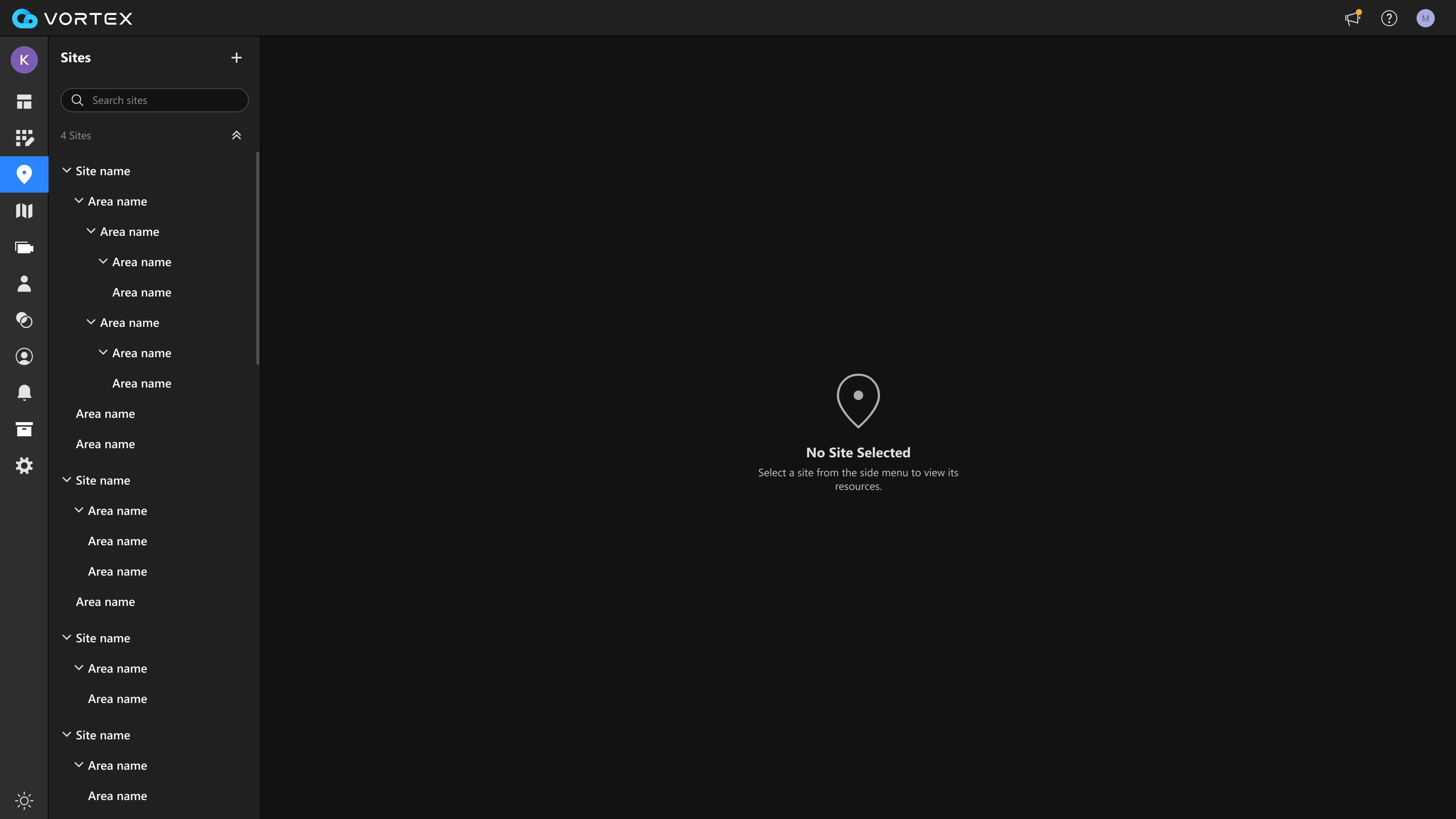
Site list with sites and nested areas
VORTEX · Site list (tree view)

Already grouping your cameras today? Those groups become Sites automatically — no need to start over.

How it works

Three simple steps

1

Create a Site

Give it a name. Set its location on the map.

2

Add Areas

Add floors or zones inside the site.

3

Add floor plans & devices

Upload floor plans, and put each device in place.
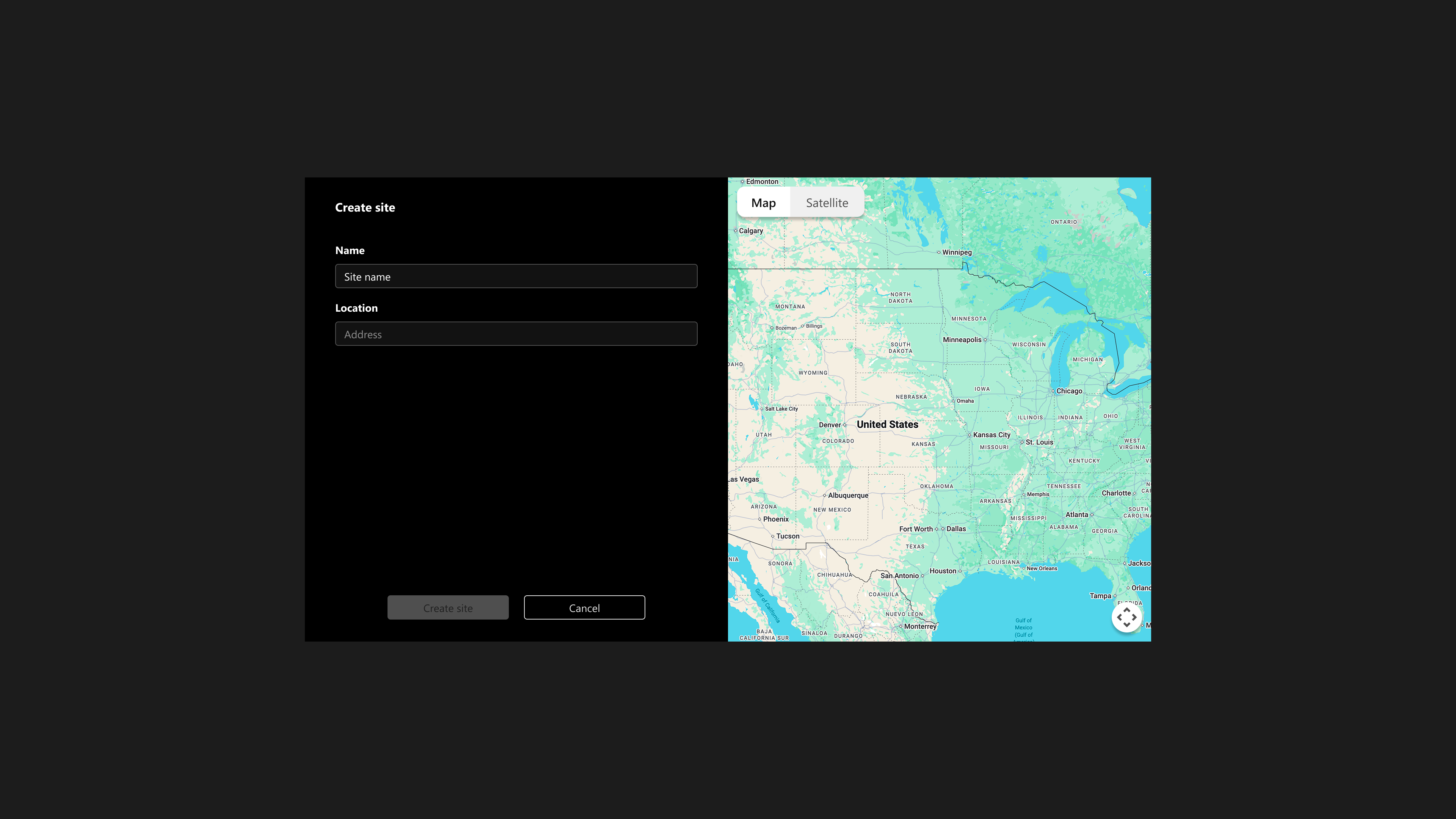
Create site dialog with map
Step 1 · Create a site with map location
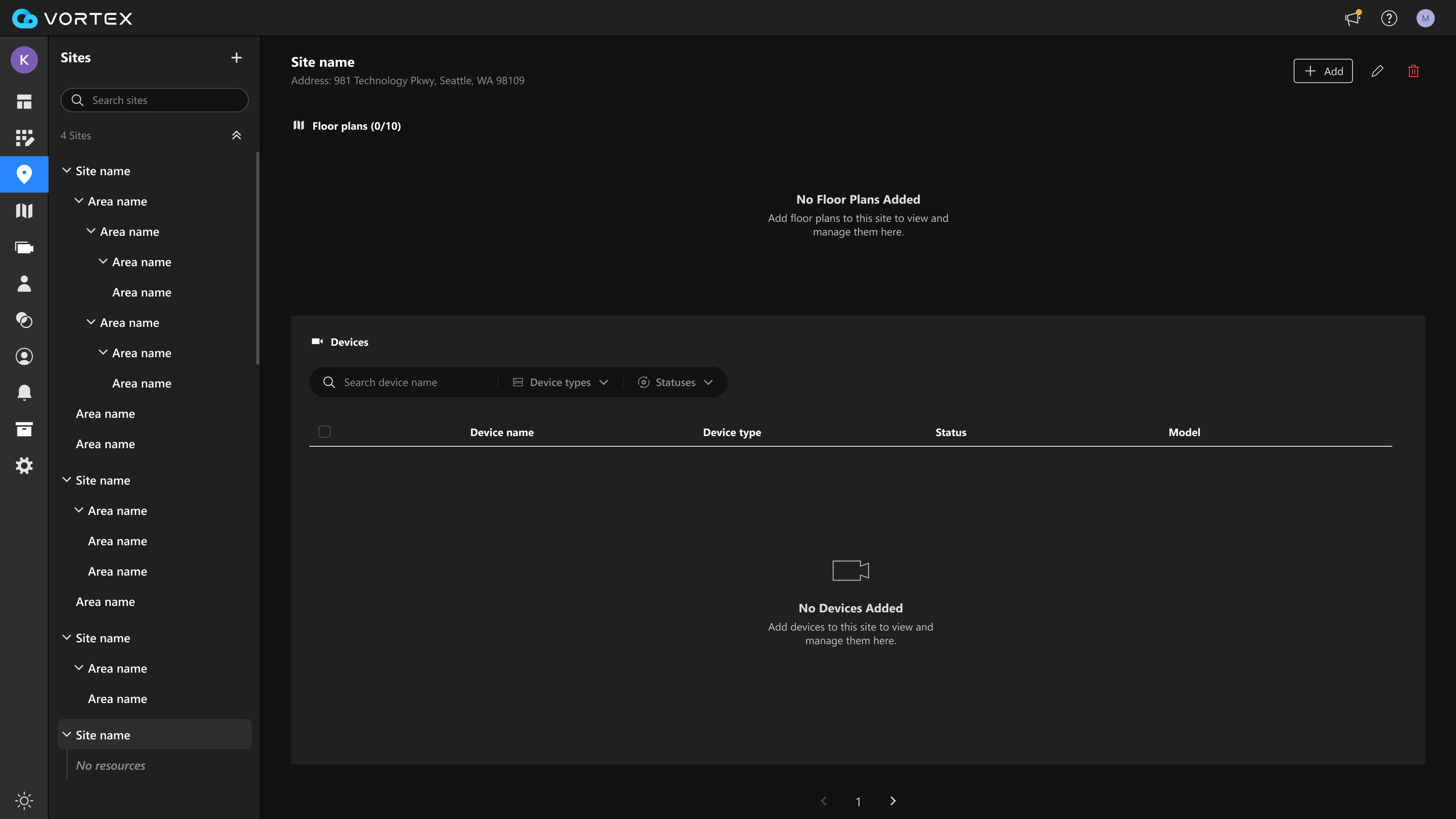
A new empty site ready for floorplans and devices
Steps 2–3 · New site, ready for floorplans & devices
Find fast

Pick a site, see only its resources

Select any site or area on the left. The right side shows only its resources — nothing from other places.

  • Floor plans — see the layout of each place.
  • Devices — every camera and device in that place.
  • Search & filter — narrow devices by type and status.
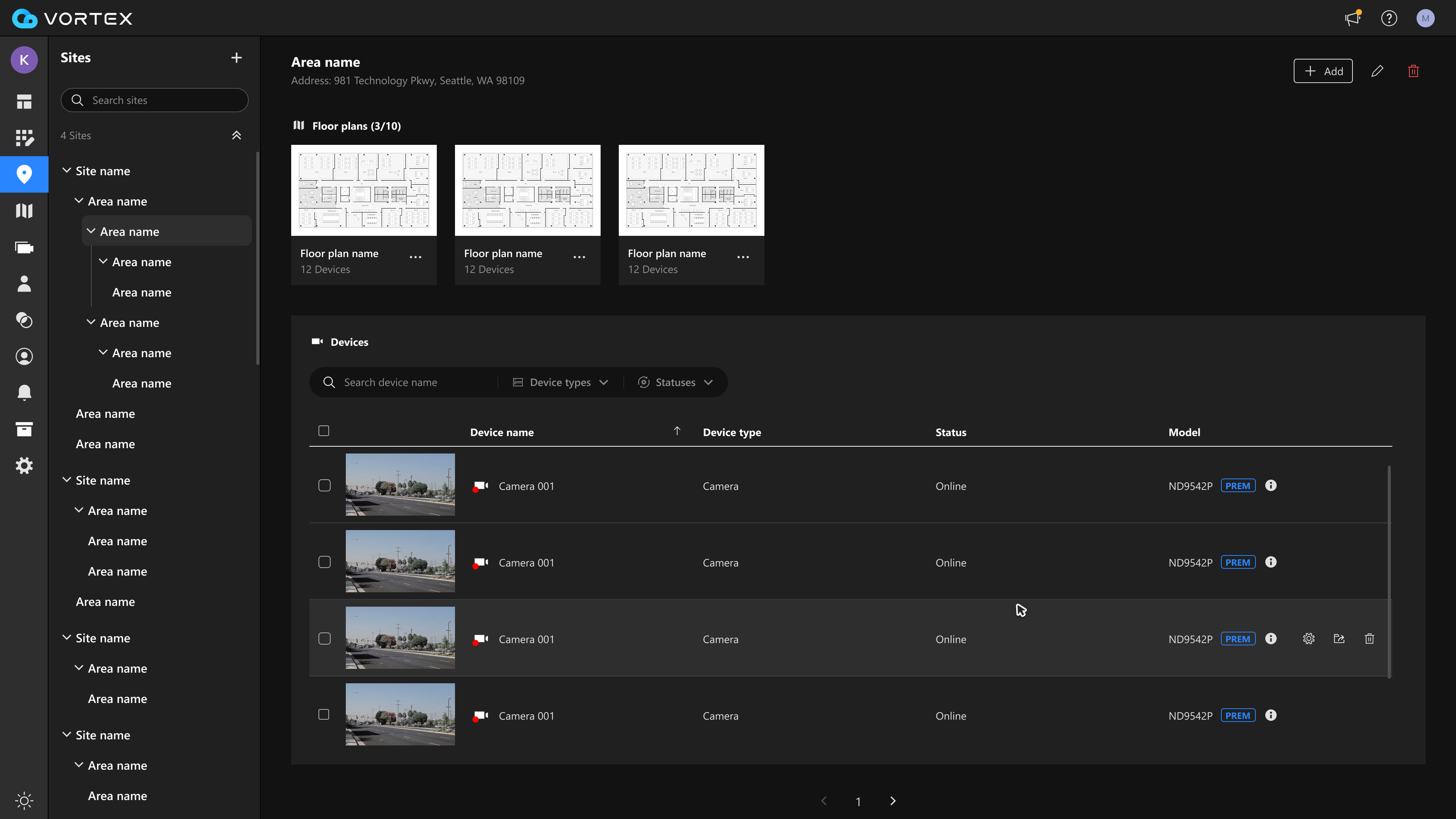
Selected site showing its floor plans and devices
VORTEX · Floor plans and devices in a selected site
Work faster

Manage many devices at once

Select many devices together. Move them to another place, or manage them in one click — no need to open each one.
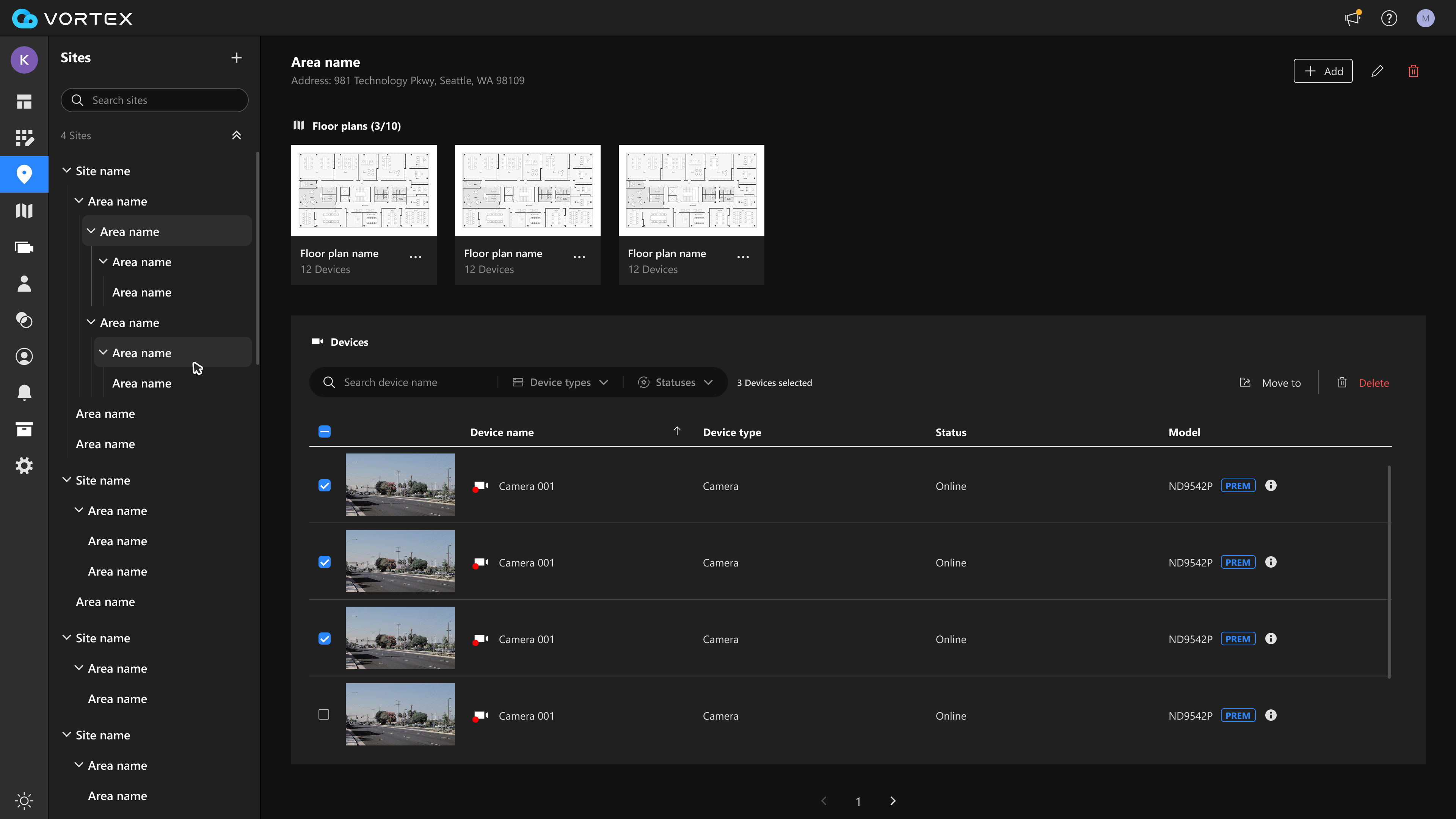
Move to Delete
Many devices selected with bulk actions
VORTEX · Select and move devices together
The big change

A Site filter on every main page

After Site Management is live, you will see a Site filter across VORTEX. Pick a location first — then every page shows only what you need.
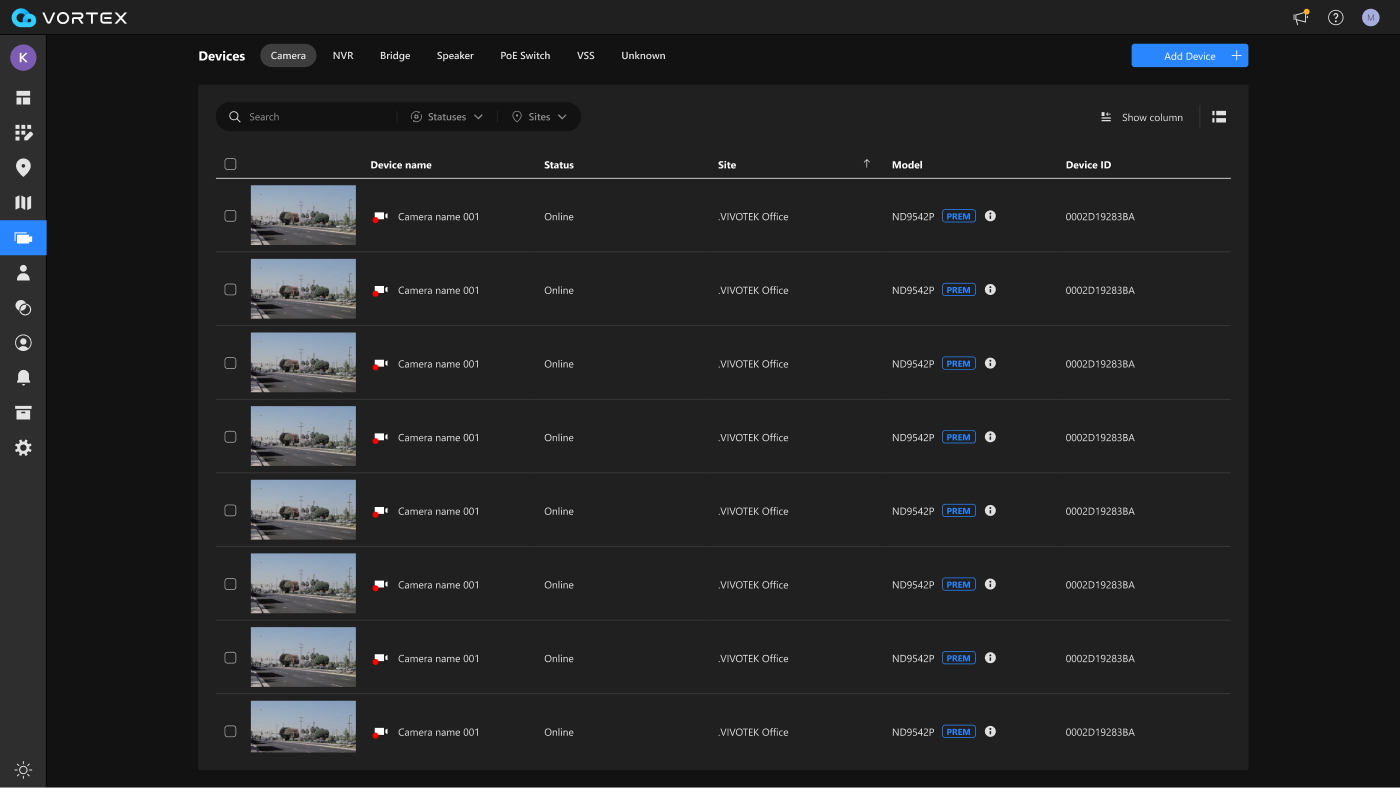
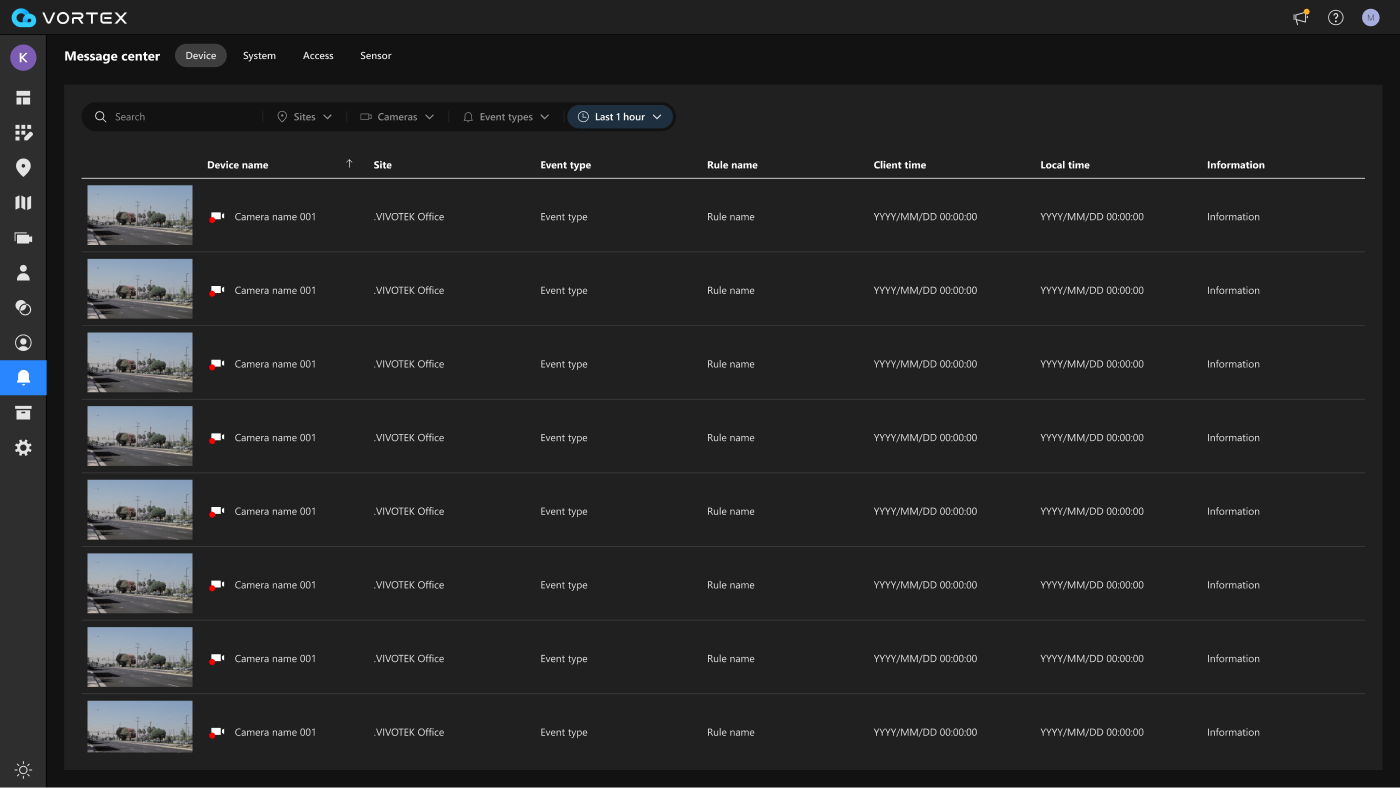
Devices page with Sites filter
Devices
Message center page with Sites filter
Message center
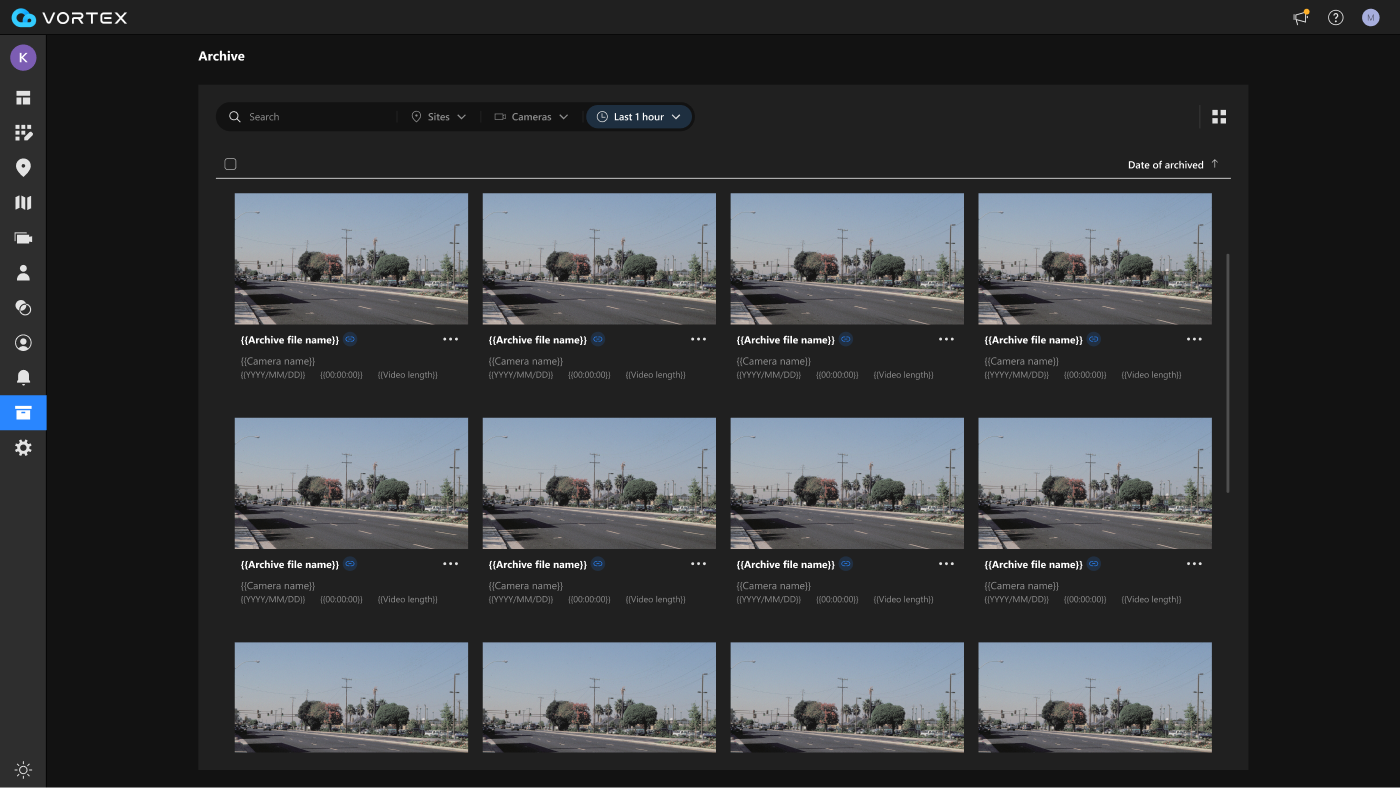
Archive page with Sites filter
Archive

The same Sites filter, reused on the pages you use most.

Live Filter demo · Devices & Message center
Try it — pick a Site, or another filter.
Access

Set access by site or area

Give each user the right access — without setting devices one by one. Pick a site or area, and apply the same access to all the devices inside it.

  • In one step — apply access to a whole site or area at once.
  • The right people — each user reaches the devices they need.
  • Easy to update — change a user's access anytime.
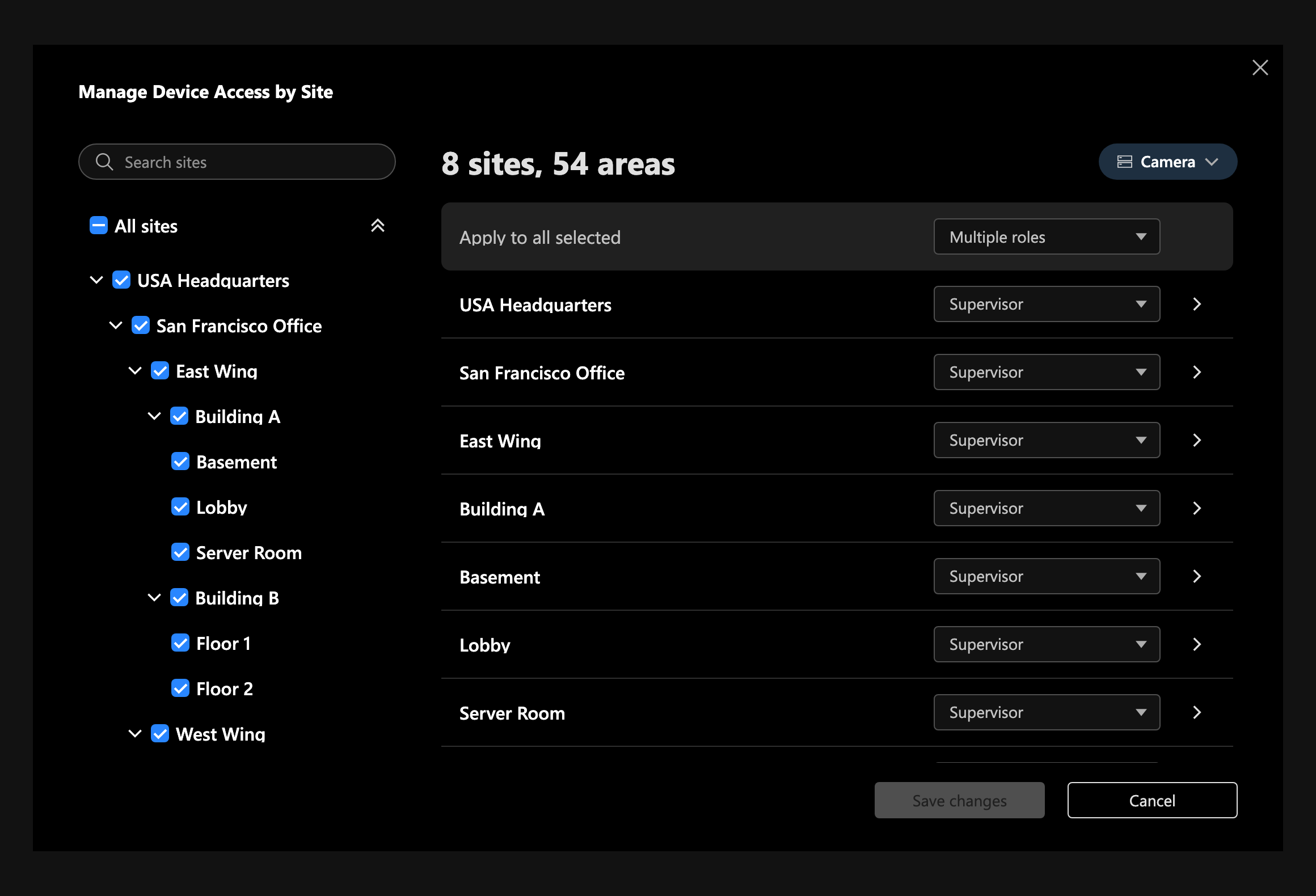
Manage device access by site dialog
VORTEX · Manage device access by site
On mobile

On the app, Site lives inside your features

There is no separate Site menu on the app. The same site search and filter are built into the features your team already uses.
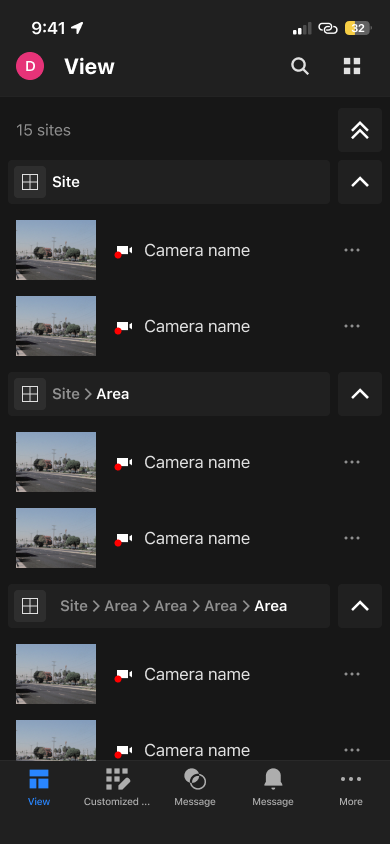
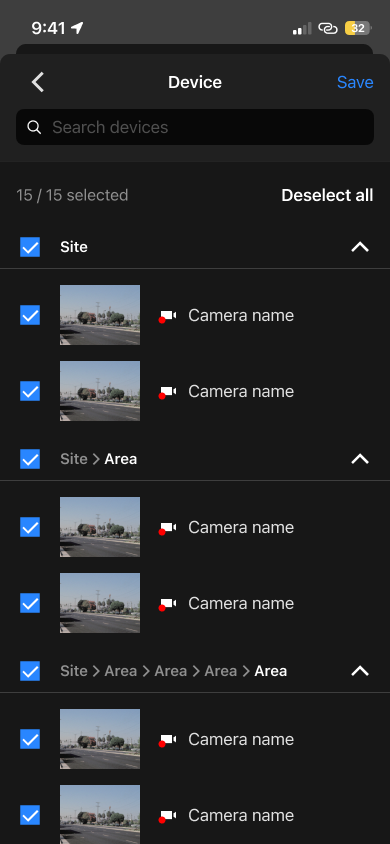
App View grouped by site
View grouped by site
App device selection by site
Devices grouped by site
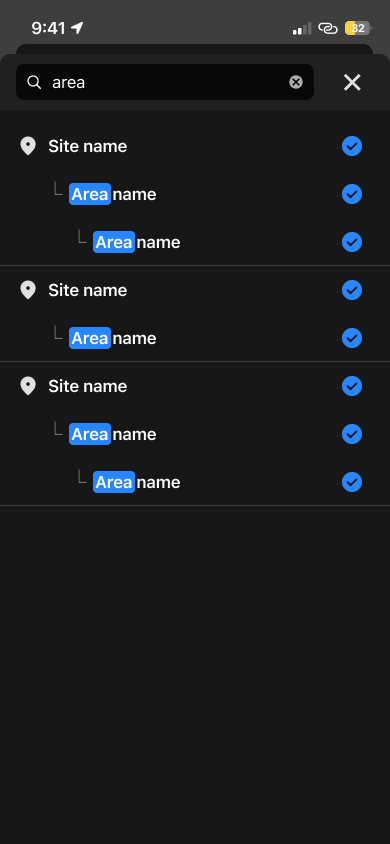
App site and area search
Search a site or area

Set your sites up once on the web — they appear across the app automatically.

In short

Location first.

Site Management is the foundation for faster event handling. When something happens, you start from the right place — so every step after is faster.

Pick the site
Review
Find a person
Report
Every step, faster — less time searching, more time acting.
Thank you

Thank you

We are here to support you at every step.
Happy to answer any questions.

Q & A